Published · By Victor Nwofe
Some links in this article are affiliate links. We may earn a commission at no extra cost to you. Learn more.
OpenArt AI Discount: 50% Off (Live)
Cut the price of every OpenArt plan in half. Here is exactly what you get, which plan fits your workflow, and how to lock in the saving in under two minutes.
In this guide
To get 50% off OpenArt AI, open the official discount link (rebrand.ly/get-openart-discount), choose a plan — Starter, Plus, Pro or Wonder — and complete checkout. The half-price rate is applied through the link, so no coupon code is required. Paid plans normally start at $14/month and include between 4,000 and 106,000 credits every month.
Affiliate disclosure: we may earn a commission if you subscribe through our link, at no extra cost to you.
- Discount
- 50% off
- Code needed
- None
- Plans covered
- Starter → Wonder
- Starts from
- $7/mo*
*Estimated from the $14 Starter list price. Your exact discounted total is displayed at checkout.
01What is OpenArt?
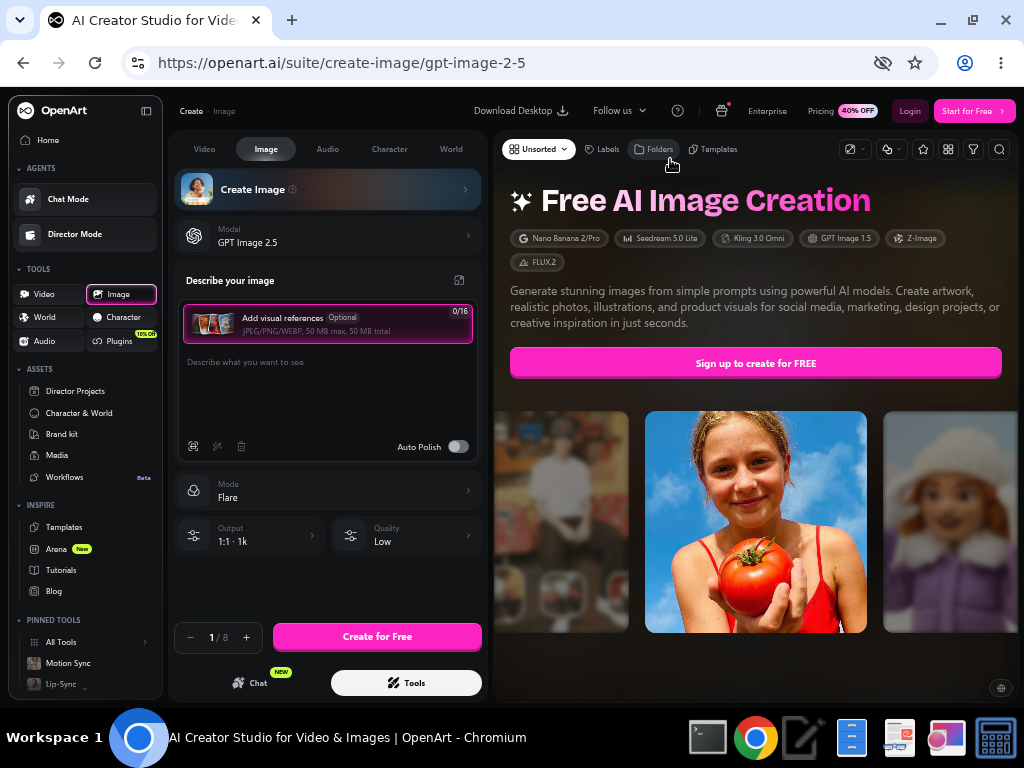
OpenArt is an all-in-one AI creator studio. Instead of juggling separate subscriptions for image, video and audio generators, you get one workspace with access to more than 100 premium models.
Inside the studio you can switch between Image, Video, Audio, Character and World tools, add visual references, and pick the model that suits each job — from photoreal generators to stylised illustration engines. Two AI agents sit on top: Chat Mode for conversational creation and Director Mode for planning multi-shot stories and videos.
Beyond generation, OpenArt includes an asset library, brand kits, reusable workflows, templates and an Arena for comparing model outputs side by side. The model lineup is refreshed often, so new releases tend to appear in the studio quickly.
02What the 50% discount includes
The offer reduces the subscription price while keeping the full feature set of the plan you choose. You are not getting a stripped-down tier — you are paying half for the real thing.
- Half the price on any individual plan: Starter, Plus, Pro or Wonder.
- Full monthly credit allowance — the discount lowers the price, not your credits.
- 100+ premium models for image, video and audio generation.
- Director and OpenArt MCP access on every paid tier.
- Watermark-free output ready to publish.
- No code to copy — the saving is applied through the link.
03Who benefits most from this deal?
Anyone who generates visuals more than a few times a month will feel the saving. These groups get the most value per dollar:
Digital artists
Explore styles, iterate on concepts and build a consistent visual language across dozens of models.
Marketers & small brands
Produce ad creatives, product visuals and social assets without booking a shoot or hiring a designer.
Video storytellers
Use Director and consistent characters to turn scripts into short films, reels and explainers.
Content creators
Keep a steady flow of thumbnails, posts and clips with fast parallel generations.
Developers & power users
Connect OpenArt to your own tools and agents through the OpenArt MCP integration.
Curious beginners
Start on Starter at half price and learn AI creation without a big upfront commitment.
04OpenArt plan comparison: prices with 50% off
OpenArt offers four individual plans. The table shows the standard monthly list price next to the estimated price after the 50% discount, so you can see the saving at a glance.
| Plan | Price with 50% off | Monthly credits | Best for |
|---|---|---|---|
| Starter | $14$7/mo | 4,000 | Testing ideas, hobby projects, light weekly use |
| Plus | $34$17/mo | 12,000 | Freelancers and creators publishing every week |
| ProMost popular | $56$28/mo | 24,000 | Daily creators, video-heavy work, small studios |
| WonderBest value | $240$120/mo | 106,000 | Agencies, teams and high-volume production |
What each tier unlocks
| Feature | Starter | Plus | Pro | Wonder |
|---|---|---|---|---|
| Images (approx.) | ~4,000 | ~12,000 | ~24,000 | ~106,000 |
| Videos (approx.) | ~50 | ~150 | ~300 | ~1,300 |
| Consistent characters | ~13 | ~40 | ~80 | ~353 |
| Parallel generations | 8 | 16 | 32 | 32 |
| Add credits as needed | — | Yes | Yes | Yes |
| Commercial use | Check plan terms | Included | Included | Included + priority support |
| Watermark-free | Yes | Yes | Yes | Yes |
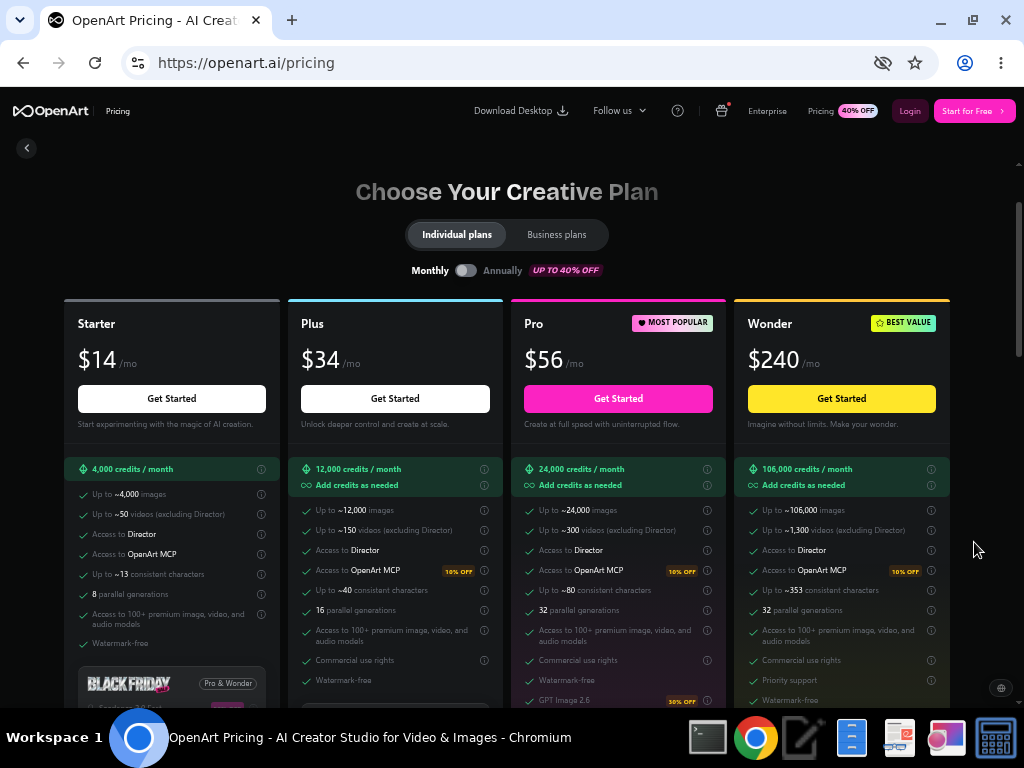
Our pick: Pro offers the strongest balance of credits, video capacity and commercial rights. At roughly $28 a month with the discount, it costs about the same as Plus does at full price.
05How OpenArt credits work
Credits are OpenArt’s currency. Every generation you run spends a number of credits, and your plan refills your balance each billing cycle. The discount changes what you pay — never how many credits you receive.
What affects credit cost
- Output type: images are cheap; video clips cost far more per generation.
- Model choice: premium and newer models usually consume more credits than lighter ones.
- Quality and size: higher resolution, longer duration and higher quality settings raise the cost.
- Batch size: generating several variations at once multiplies the credits used.
OpenArt’s own estimates give a useful rule of thumb: Starter’s 4,000 credits cover roughly 4,000 basic images or about 50 videos. In other words, a simple image costs around one credit, while a video can cost dozens. If your work is video-heavy, size up your plan accordingly.
Running low? Plus, Pro and Wonder let you add credits as needed, so a busy month never forces an immediate upgrade.
06Monthly vs annual billing
OpenArt lets you pay month to month or commit for a year. The pricing page advertises savings of up to 40% on annual billing. Here is how the two options compare:
| Factor | Monthly | Annual |
|---|---|---|
| Payment | Charged every month | One upfront payment per year |
| Flexibility | Change or cancel any month | Committed for the full term |
| Standard saving | None | Up to 40% advertised |
| Best for | Trying OpenArt, seasonal projects | Daily creators sure of long-term use |
Our advice: open the discount link and toggle between monthly and annual on the checkout screen. Pick whichever total is lower for your situation — if you are new to OpenArt, a discounted monthly plan keeps you flexible while you find your rhythm.
07How to claim the OpenArt 50% discount
Follow these steps to activate the offer. The whole process takes about two minutes.
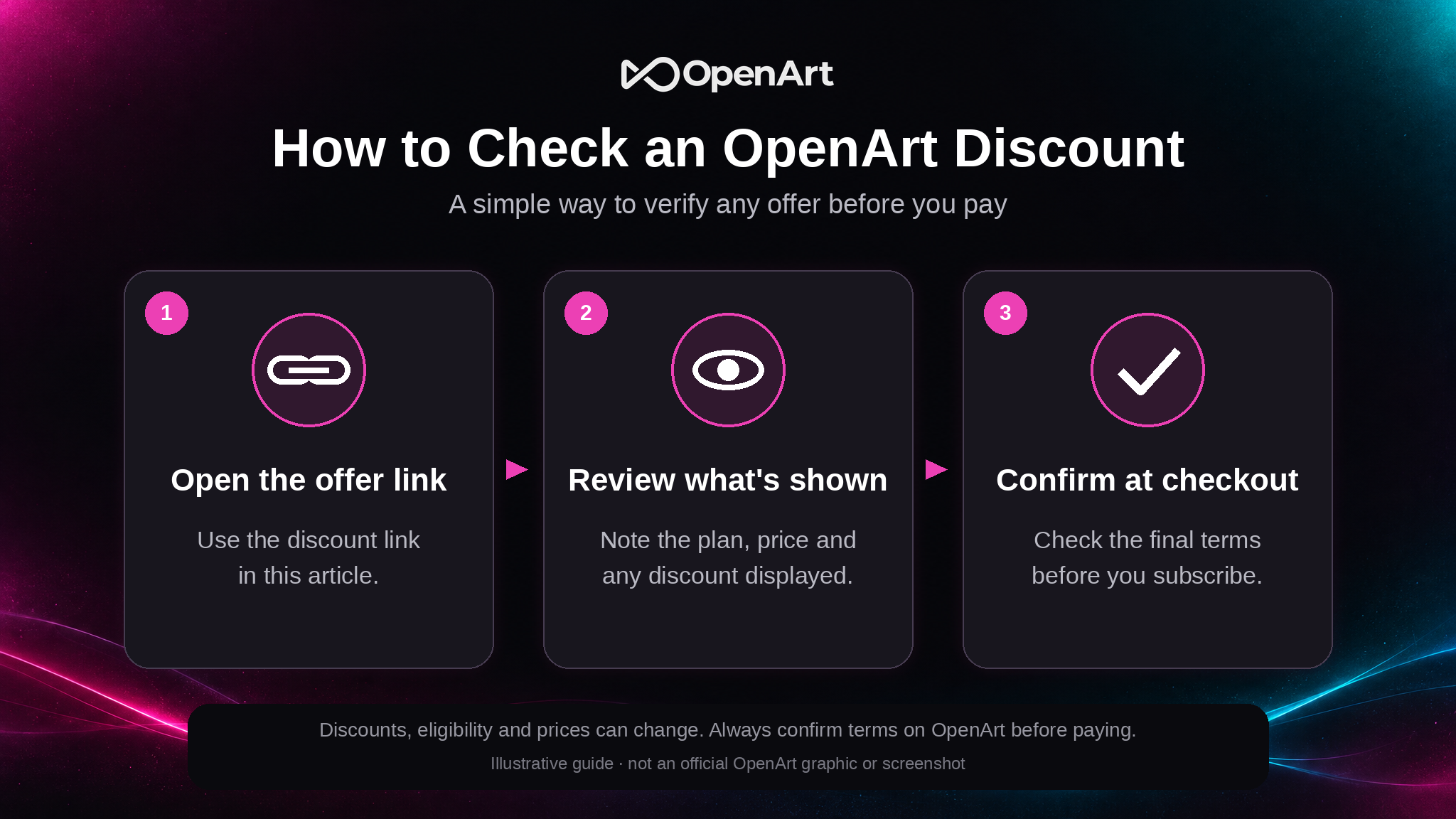
- 1Open the discount linkGo to 👉 rebrand.ly/get-openart-discount — it opens OpenArt with the offer attached.
- 2Sign up or log inCreate a free account with email or Google, or sign in if you already have one.
- 3Choose your planSelect Starter, Plus, Pro or Wonder, then choose monthly or annual billing.
- 4Check the discounted totalConfirm the 50% reduction is shown on the checkout screen before paying.
- 5Complete payment and start creatingYour credits are added straight away and every premium model unlocks.
08OpenArt free vs paid
The free plan is a good way to test the interface, but serious creators hit its limits quickly. Here is where paid plans pull ahead:
| Feature | Free | Paid (with 50% off) |
|---|---|---|
| Cost | $0 | From about $7/mo |
| Credits | Small starter allowance | 4,000–106,000 every month |
| Premium models | Limited selection | 100+ image, video and audio models |
| Parallel generations | Limited | 8 to 32 at once |
| Director & MCP | Not the full toolset | Included on all paid tiers |
| Watermark-free | Not guaranteed | Yes |
| Commercial rights | Not listed | Plus, Pro and Wonder |
If you only need a handful of images, stay free. If you publish regularly, the paid plans at half price deliver far more output for a small monthly cost. 👉 Upgrade with the 50% discount
09Can you use OpenArt for commercial work?
Yes — on the right plan. Commercial use rights are listed on Plus, Pro and Wonder, which makes them the safe choice for client projects, ads, merchandise, book covers and monetised content.
Good practice
- Choose Plus or higher for paid client work
- Keep prompts and outputs organised per project
- Review the current terms before large campaigns
Things to avoid
- Copying trademarks, logos or brand characters
- Using a real person’s likeness without consent
- Ignoring model-specific licence conditions
10Cancellation and renewal
OpenArt subscriptions renew automatically at the end of each billing period, so your credits refresh without interruption. If you want to stop, you stay in control:
- Cancel anytime from your account’s billing settings.
- Keep access until the end of the period you have already paid for.
- Cancel before the renewal date to avoid the next charge.
- Check the renewal price at checkout, as promotional pricing may apply to the first billing term only.
Tip: set a calendar reminder a few days before renewal so you can decide whether to stay, switch plans or cancel.
11OpenArt discount FAQ
Is the OpenArt 50% discount still working?
Yes. The offer is live through our discount link. Open the link, pick a plan and the reduced price is shown on the checkout screen before you enter payment details, so you can confirm the saving yourself before committing.
Do I need an OpenArt promo code?
No separate coupon code is needed. The discount is attached to the link itself, so simply start from rebrand.ly/get-openart-discount and the offer carries through to checkout.
Which OpenArt plan should I buy with the discount?
Starter suits light, occasional use. Plus is the sweet spot for creators who publish weekly and need commercial use rights. Pro is the most popular choice for daily image and video work. Wonder is built for agencies and teams producing at very high volume.
Can I combine the discount with annual billing?
OpenArt advertises up to 40% off for annual billing on its pricing page. Whether the link discount and annual savings stack depends on the active promotion, so compare the monthly and annual totals at checkout and pick whichever comes out lowest.
Does OpenArt have a free plan?
Yes. You can sign up and create for free with a limited allowance, which is enough to explore the interface and a few models. Paid plans add large monthly credit allowances, premium models, watermark-free output and more parallel generations.
Do unused OpenArt credits roll over?
Subscription credits are issued each billing cycle, and rollover rules can differ by plan and promotion, so check the plan details before you subscribe. Plus, Pro and Wonder let you add extra credits whenever you run low.
Can I use OpenArt images and videos commercially?
Commercial use rights are listed on the Plus, Pro and Wonder plans. If commercial work is your goal, choose one of those tiers and review the current terms of service, as individual models can carry their own conditions.
Can I cancel my OpenArt subscription at any time?
Yes. You can cancel from your account billing settings to stop the next renewal. Access normally continues until the end of the period you have already paid for. Cancel before the renewal date to avoid being charged for the next cycle.
Is the discount only for new users?
Promotions like this are usually aimed at new subscriptions. If you already have a paid plan, check whether the offer appears when you open the link while signed in; otherwise it is best used when starting or restarting a subscription.
Is OpenArt worth paying for?
If you create regularly, yes. One subscription unlocks 100+ premium image, video and audio models, consistent characters, the Director storytelling tool and watermark-free output. At half price, the cost per generation becomes very hard to beat.
12The verdict
OpenArt packs an impressive range of image, video and audio models into a single, well-designed studio. At full price it is already competitive; at 50% off it becomes one of the most cost-effective ways to create with AI. Pick the plan that matches your volume, start from our link, and confirm the saving at checkout.
Affiliate disclosure
This article contains affiliate links. If you buy a subscription through them, we may earn a commission at no extra cost to you. This supports our editorial work and never changes the price you pay.
Plan names, prices, credit allowances and features reflect OpenArt’s public pricing page and may change. Always confirm the final terms on the checkout screen before subscribing.
Related reviews

Victor Nwofe
Lead writer, Feed Your Muse
Victor Nwofe is an SEO copywriter and the lead writer at Feed Your Muse. He writes clear, useful articles that help readers find answers to their most pressing questions.
About Victor Nwofe